

Overview
sunpeak supports both unit testing and end-to-end testing against the simulator. The setup differs depending on whether you’re using the full framework or just the library.- Framework
- Library
The sunpeak framework includes pre-configured testing out of the box.TL;DR: Run
pnpm test for unit tests and pnpm test:e2e for end-to-end tests.Testing Commands
Run unit tests with Vitest.
Run end-to-end tests with Playwright against the simulator.
Unit Testing
The framework uses Vitest with configuration invitest.config.ts. The test environment includes:- jsdom: Browser-like environment for React component testing
- @testing-library/react: For rendering and testing components
- @testing-library/jest-dom: Additional matchers for assertions
src/test/setup.ts.End-to-End Testing
E2E tests use Playwright and are located intests/e2e/ with the naming convention *.spec.ts.The dev server runs automatically when you execute pnpm test:e2e—Playwright starts it before running tests.Writing E2E Tests
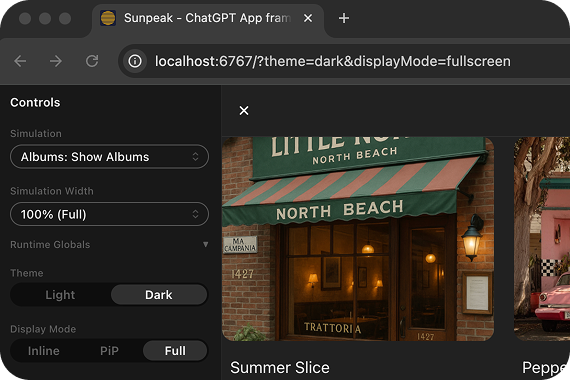
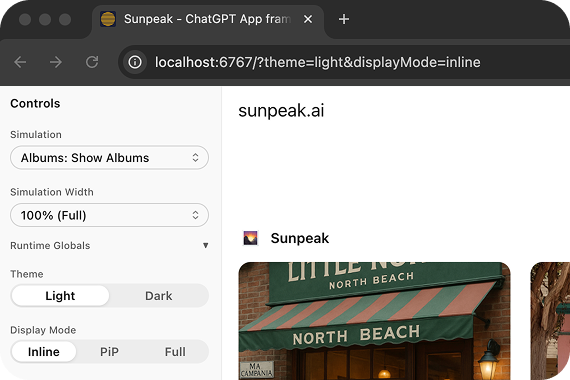
Use thecreateSimulatorUrl utility to generate type-safe URLs for e2e tests:
URL Parameters
 The
The createSimulatorUrl function accepts parameters for configuring theme, display mode, device type, safe area insets, and more. See the ChatGPTSimulator API Reference for the complete list.
Example E2E Test Structure
A typical e2e test file tests a resource across different modes:Testing Best Practices
Keep tests simple
Keep tests simple
Test one thing per test case. Clear tests are maintainable tests.
Use meaningful test descriptions
Use meaningful test descriptions
Test user-facing behavior
Test user-facing behavior
Test what users see and interact with, not implementation details:
Test across themes and display modes
Test across themes and display modes
Use
createSimulatorUrl to test your resources in different configurations:- Light and dark themes
- Inline, PiP, and fullscreen display modes
- Different device types (mobile, tablet, desktop)
Clean up after tests
Clean up after tests
Use
afterEach to reset state between tests:Additional Quality Tools (Optional)
Linting (ESLint)
Linting (ESLint)
"lint": "eslint . --ext .ts,.tsx" to package.json scripts.Type Checking
Type Checking
TypeScript is already installed. Add to package.json scripts:
Formatting (Prettier)
Formatting (Prettier)
"format": "prettier --write ." to package.json scripts.Dive Deeper
Vitest Docs
Learn more about Vitest for unit testing.
Playwright Docs
Learn more about Playwright for end-to-end testing.